

SKU: 1MR78A
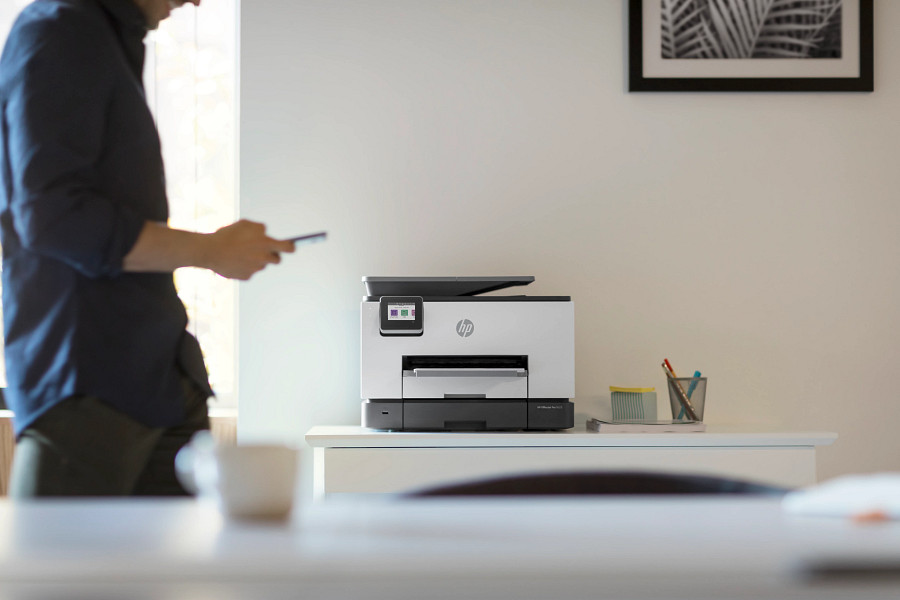
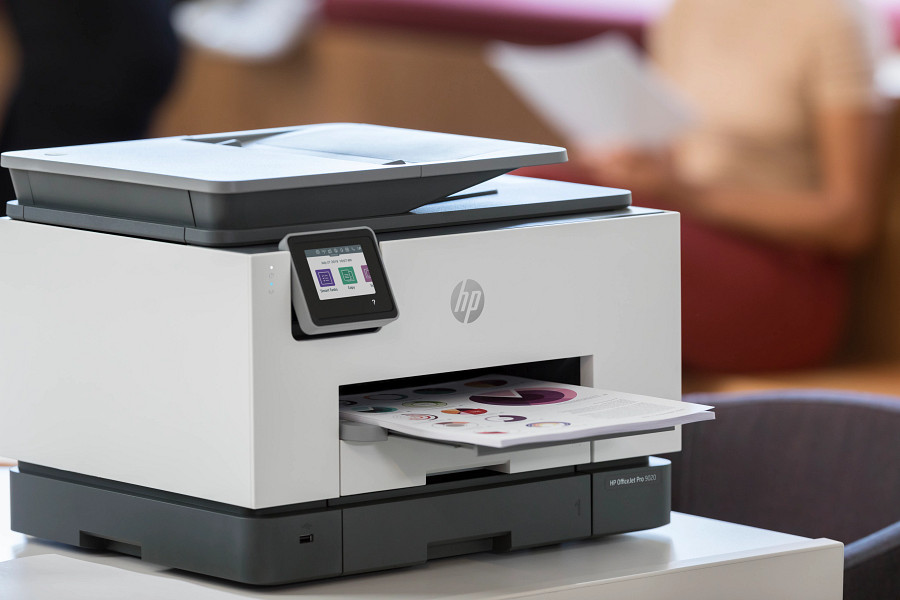
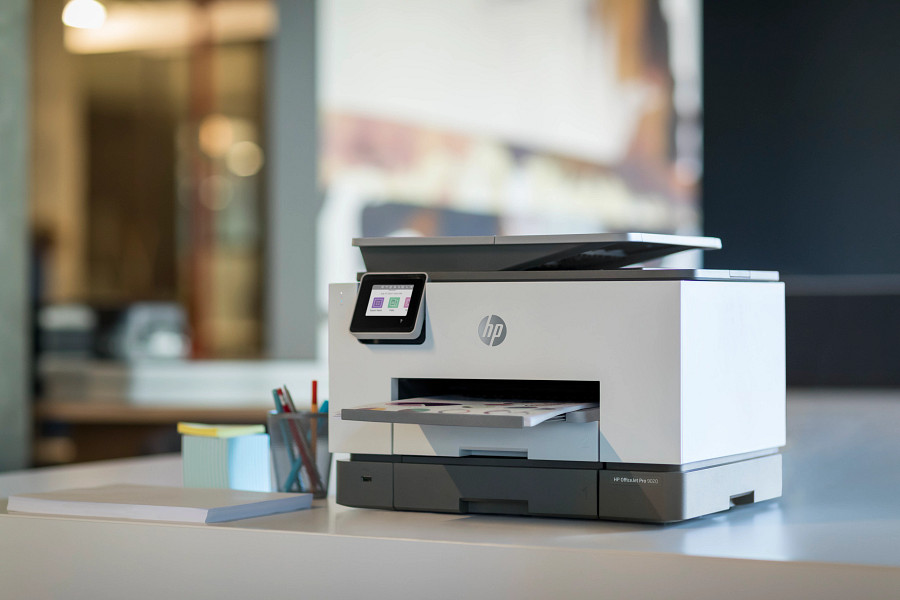
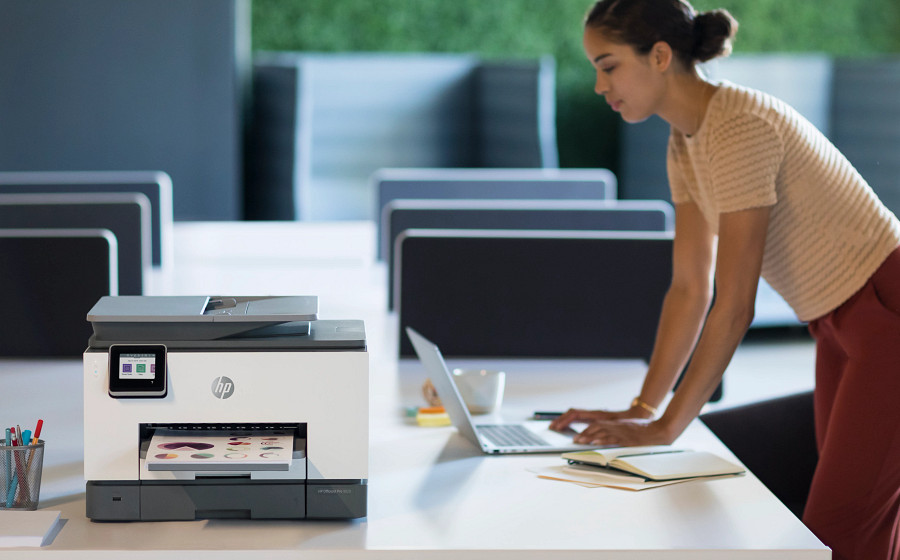
HP OfficeJet Pro 9020 All-in-One Printer
- Print technology
- Ink
- Display
- 6.86 cm Capacitive Touchscreen CGD
Contact us for pricing
Key features
- Automatic document feeder
- Front USB flash drive port
- Scan to email
- Two-sided printing
- Print from mobile device
- Scan to PDF
- Touchscreen
- Two-sided scanning
- Customizable shortcuts on your phone or printer
- Create editable, searchable documents
- Two-sided. Hands-free. Auto-fed
- Print at high volumes with dual-tray capacity
Technical specifications
Product
| UPC number | 193015033795 |
|---|---|
| Product type | Inkjet printers |
| Subcategory | Single and multifunction printers |
Memory
| Fax memory | Up to 100 pages |
|---|
Storage
| Storage altitude | 4,500 m |
|---|---|
| Storage temperature range | -40 to 60°C |
Display
| Display | 6.86 cm Capacitive Touchscreen CGD |
|---|---|
| Fax Resolution Black (best) | Up to 300 x 300 dpi |
| Resolution (black photo grayscale) | 203 x 196 dpi |
| Fax resolution color (fine) | 200 x 200 dpi |
| Fax resolution black | 203 x 196 dpi, 256 levels of gray |
| Resolution (black and white, standard mode) | 203 x 98 dpi |
Wireless
| Wireless capability | Yes, built-in WiFi 802.11a/b/g/n |
|---|
Battery and power
| Power supply type | Internal (Built-in) Universal Power Supply |
|---|
Software
| Compatible Operating Systems | Windows 11; Windows 10; Windows 8; Windows 7; Windows Server; ChromeOS |
|---|---|
| Fax smart software features | Digital Fax - Fax to PC is available with Windows (Please use: Visit http://www.hp.com/support to download the latest software.) |
| Printer smart software features | Orientation: Portrait/Landscape; Print on Both Sides: None/Flip on Long Edge/Flip on Short Edge; Page Order: Front to Back/Back to Front; Pages per Sheet: 1, 2, 4, 6, 9, 16; Quality Settings: Draft/Normal/Best; Printing Shortcuts; Print in Grayscale: Off/High Quality Grayscale/Black Ink Only; Pages per Sheet Layout: Right then Down/Down then Right/Left then Down/Down then Left; Print in Max DPI: No/Yes; HP Real Life Technologies: Off/On; Booklet: None/Booklet-Left Binding/Booklet-Right Binding; Pages to Print: Print All Pages/Print Odd Pages Only/Print Even Pages Only; Borderless Printing: Off/On; Page Borders: Off/On |
| Print Technology | Ink |
|---|---|
| Mobile printing capability | Chrome OS; HP app; Apple AirPrint™; Wi-Fi® Direct Printing; Mopria™ certified |
| Acoustic power emissions (active, printing) | 7.0 B(A) (printing at 21 ppm) |
Copy and scan
| Scanner advanced features | OCR (Optical Character Recognition); Smart Taks shortcuts: 1-click customizable scan to cloud destinations, email, and print, create editable, searchable documents by scanning from phone or printer; Smart Tasks destinations: Dropbox, Google Drive, One drive, email recipients, print; Scan both sides of page at once |
|---|---|
| Copy reduce / enlarge settings | 25 to 400% |
| Copy resolution (black graphics) | Up to 600 dpi |
| Copy Speed Black (maximum, A4) | Up to 39 cpm |
| Copy speed black (best, A4) | Up to 5 cpm |
| Copy speed color (best, A4) | Up to 4 cpm |
| Copy speed black (ISO) | Up to 23 cpm |
| Copy speed color (ISO) | Up to 17 cpm |
| First copy out color (letter) | As fast as 9 sec |
| First copy out black (letter) | As fast as 7 sec |
| Acoustic power emissions (active copy) | 6.9 B(A) (copying at 15 ppm with ADF running) |
| Acoustic power emissions (active scan) | 6.0 B(A) |
| Faxing options (ADF) | Two-sided |
Physical
| Product color | Light Basalt |
|---|---|
| Print Cartridge/Bottle, Color(s) | Black, cyan, magenta, yellow |
| Print colors maximum | 4 |
| Maximum dimensions (W x D x H) | 437 x 547 x 318.3 mm |
| Dimensions (W x D x H) | 437 x 396.3 x 318.3 mm |
| Dimensions with trays up (W x D x H) | 437 x 421.8 x 318.3 mm |
Package
| Package dimensions (W x D x H) | 496 x 377 x 489 mm |
|---|---|
| Pallet dimensions (W x D x H) | AMS: 1220 x 1014 x 2584 mm; EMEA: 1200 x 1000 x 2200 mm; AP: 1219 x 1016 x 2197 mm |
Sustainability
| Ecolabels | EPEAT® Silver registered; ENERGY STAR® certified |
|---|---|
| Energy star certified | Yes |
Warranty and service
| Manufacturer Warranty | 1 Year Limited Warranty (Return to HP/Dealer - Unit Exchange) |
|---|---|
| Network protocols, supported | 9100, LPR, SNMP, SLP, Internet Printing Protocol (IPP), WS-Print, Wireless |
| File Format Supported | PDF; TIFF; JPEG |
| Fax PC Interface Supported | Yes, PC fax send and archive |
Other
| Connection type | Wireless |
|---|---|
| Minimum System Requirements | Windows 10, 8.1, 8, 7: 1 GHz 32-bit (x86) or 64-bit (x64) processor, 2 GB available hard disk space, CD-ROM/DVD drive or Internet connection, USB port, Internet Explorer |
| What's in the box | HP OfficeJet Pro 9020 All-in-One Printer; HP 962 Setup Black Ink Cartridge; HP 962 Setup Cyan Ink Cartridge; HP 962 Setup Magenta Ink Cartridge; HP Setup 962 Yellow Original Ink Cartridge; Regulatory Flyer; Ink Caution Flyer; Power Cord; Setup Poster; Reference Guide [For more information about fill and yield, see http://www.hp.com/go/learnaboutsupplies] |
| Energy savings feature technology | Schedule On and Schedule Off |
| Power consumption | Up to 30 watts (printing), 5.80 watts (ready), 1.22 watts (sleep), 0.08 watts (manual-Off) |
| Power | Input voltage: 100 to 240 VAC (+/- 10%), 50/60 Hz. Not dual voltage, power supply varies by part number with # Option code identifier. |
| Cable included | No, please purchase (USB) cable, and (phone) cord separately |
| Output file format | PDF; TIFF; JPEG (scan to Thumbdrive) |
| HP Real Life technologies™ | Default=OFF |
| Registration required | No |
| Ink types | Pigment-based (black and color) |
| Page yield (set-up/inbox cartridges) | ~ 850 pages black, ~ 420 pages Cyan, Magenta, Yellow composite yield |
| Print Cartridges/Bottle, Number | 4 (1 each black, cyan, magenta, yellow) |
| Print head nozzles | Total Print Head nozzles: 6272 |
| Replacement cartridges | HP 962 Black Original Ink Cartridge (~1,000 pages) 3HZ99A; HP 962 Cyan Original Ink Cartridge (~700 pages) 3HZ96A; HP 962 Magenta Original Ink Cartridge (~700 pages) 3HZ97A; HP 962 Yellow Original Ink Cartridge (~700 pages) 3HZ98A; HP 962XL Black Original Ink Cartridge (2,000 pages) 3JA03A; HP 962XL Cyan Original Ink Cartridge (1,600 pages) 3JA00A; HP 962XL Magenta Original Ink Cartridge (1,600 pages) 3JA01A; HP 962XL Yellow Original Ink Cartridge (1,600 pages) 3JA02A; HP 966XL Black Original Ink Cartridge (3,000 pages) 3JA04A. Actual yield varies considerably based on content of printed pages and other factors. For details see http://www.hp.com/go/learnaboutsupplies |
| Segment (filter) | Small office |
| Brand | HP |
| Sub brand | OfficeJet Pro |
| Electromagnetic compatibility | CISPR 32:2012/EN 55032:2012 Class B; CISPR 24:2010/EN 55024:2010; EN 61000-3-2:2014; EN 61000-3-3:2013; FCC CFR 47 Part 15 Class B (USA); ICES - 003, Issue 6 Class B (Canada); EN 301 489-1 (V2.1.1:2017), EN 301 489-17 (V3.1.1 2017) |
| Safety | IEC 60950-1:2005 (2nd Edition) Am1:2009 + Am2:2013/EN 60950-1:2006 + A11:2009 + A1:2010 + A12:2011 + A2:2013; IEC62368-1:2014 (2nd Edition)/EN62368-1:2014+A11:2017; UL 62368-1: 2nd Edition; German GS; Russia EAC; China CCC; Taiwan BSMI |
| Telecom compliance (fax capability) | USA: TIA-968-B-3, TIA-1096-A; Canada: IC CS-03 Part 1 Issue 9 Am5, Mar 2016 and IC CS-03, Part 8 Issue 9 Am5, Mar 2016; EU: ES 203 021-2, ES 203 021-3; EU: Radio Equipment Directive 2014/53/EU; Mexico (SCT); Brazil (ANATEL); Argentina (CNC); South Africa (ICASA) |
| Accessories | None |
| Orderable supplies | HP 962 Black Original Ink Cartridge (~1,000 pages) 3HZ99A; HP 962 Cyan Original Ink Cartridge (~700 pages) 3HZ96A; HP 962 Magenta Original Ink Cartridge (~700 pages) 3HZ97A; HP 962 Yellow Original Ink Cartridge (~700 pages) 3HZ98A; HP 962XL Black Original Ink Cartridge (2,000 pages) 3JA03A; HP 962XL Cyan Original Ink Cartridge (1,600 pages) 3JA00A; HP 962XL Magenta Original Ink Cartridge (1,600 pages) 3JA01A; HP 962XL Yellow Original Ink Cartridge (1,600 pages) 3JA02A; HP 966XL Black Original Ink Cartridge (3,000 pages) 3JA04A. Actual yield varies considerably based on content of printed pages and other factors. For details see http://www.hp.com/go/learnaboutsupplies |
| Connectivity | Apple AirPrint™; USB; Wireless (Wi-Fi®); Wireless direct printing; Ethernet networking |
| Number of users | 1-5 Users |
| Connectivity, standard | 1 USB 2.0; 1 Host USB; 1 Ethernet; 1 Wireless 802.11a/b/g/n; 2 RJ-11 modem ports |
| Network capabilities | Yes, via built-in Ethernet; Wireless 802.11a/b/g/n |
| Plug and play | Auto Wireless Connect |
| Copier settings | Number of Copies; Two-Sided; Lighter/Darker; HP Copy Fix; ID Copy; Resize; Quality; Paper Size; Paper Type; Collate; Margin Shift; Crop; Copy Preview; Tray Select; Enhancements |
| Copies, maximum | Up to 99 copies |
| Digital sending standard features | Scan-to E-mail; Scan to network folder; Scan to SharePoint; Scan to thumb drive |
| Acoustic power emissions (ready) | 2.6 B(A) |
| Acoustic pressure emissions | 64 dB(A) (printing at 21ppm) |
| Operating altitude | 3,000 m |
| Operating humidity range | 20 to 80% RH |
| Recommended operating humidity range | 25 to 75% RH |
| Operating temperature range | 5 to 40°C |
| Recommended operating temperature range | 15 to 32°C |
| Fax Broadcast Locations | 20 |
| Fax Speed Dials, Maximum Number | Up to 99 |
| Faxing | Yes, color |
| Fax Modem Speed | Synaptics Troy modem; data rate up to 33.6 kbps |
| Junk fax barrier | Yes, requires Caller ID |
| Fax transmission speed (letter) | 4 sec per page |
| Functions | Multifunction / All-in-One |
| Form factor | All-in-One |
| Country of origin | Thailand(, B1H) |
| Geographic availability | WW |
| Differentiator (features) | The ultimate in productivity: rapid speeds, full-ream paper capacity |
| Why to buy | Big business solutions in a small office space. Help save time with Smart Tasks shortcuts,[1] and get one-pass, two-sided scanning, self-healing Wi-Fi™,[2] and best-in-class security.[5] Handle high-volume jobs with a paper capacity of 500 sheets. |
| Headline | Quickly scan both sides of page at once, and help save time with Smart Tasks shortcuts.[1] Even create editable, searchable documents from your phone or printer.[1] |
| Key selling point | Get high-quality scanning to share to Dropbox, Google Drive, email, or the cloud – from virtually anywhere.[1] |
Notes and footnotes
- Based on standard ITU-T test image #1 at standard resolution. More complicated pages or higher resolution will take longer and use more memory.
- [1] Requires the HP app download. For details on local printing requirements see http://hp.com/go/mobileprinting.
- [2] Wireless operations are compatible with 2.4 GHz and 5.0 GHz operations only. Learn more at http://hp.com/go/mobileprinting. Wi-Fi is a registered trademark of Wi-Fi Alliance®.
- [3] Compared to majority of OEM mobile printing apps for inkjet & laser printers & all-in-ones for home & home office, priced less than or equal to $429.99 USD. Market share as reported by IDC CYQ2 2018 Hardcopy Peripherals Tracker. Claim based on lab testing and research of printer manufacturer's mobile print apps and Keypoint Intelligence - Buyers Lab study commissioned by HP. See Sept 2018 report at http://www.keypointintelligence.com/HPSmartApp.
- [1] Dimensions vary as per configuration
- [4] Based on HP 962XL High Yield Black and color Original Ink Cartridges. High-yield ink cartridges not included; purchase separately. For more information, see http://hp.com/go/learnaboutsupplies. Less cost per page compared with manufacturer recommended street price and published page yield of standard-yield HP 962 Original Ink Cartridges. Actual pricing may vary.
- [5] Compared to the majority of competing in-class consumer color desktop inkjet all-in-ones
- [2] Weight varies as per configuration
- [3] Power requirements are based on the country/region where the printer is sold. Do not convert operating voltages. This will damage the printer and void the product warranty.
- [4] Wireless performance is dependent upon physical environment and distance from the access point. Wireless operations are compatible with 2.4 GHz routers only; excludes wireless direct. Wireless direct may require driver or apps be installed and connected on wireless-enabled mobile device or PC. Wireless functionality may vary by computer and mobile operating systems, see http://hpconnected.com. Separately purchased data plans or usage fees may apply. Print times and connection speeds may vary. AirPrint supports OS X v10.11 El Capitan and devices running iOS 4.2 or later and requires the printer be connected to the same network as your OS X or iOS device. AirPrint, the AirPrint Logo, iPad, iPhone, and iPod touch are trademarks of Apple® Inc. Windows is a trademark of the Microsoft group of companies.
- [5] Speed specifications have been updated to reflect current industry testing methods.
- [6] Either after first page or after first set of ISO test pages. For details see http://www.hp.com/go/printerclaims
- [7] HP recommends that the number of printed pages per month be within the stated range for optimum device performance, based on factors including supplies replacement
- [8] For more information about page yields for replacement cartridges see http://hp.com/go/learnaboutsupplies for setup cartridges click on Setup supplies link on the same page.
- [9] Not available in all locations.