| What's in the box |
HP USB-C/A Universal Dock G2; Documentation |
| Registration required |
No |
| Brand |
HP |
| Compatibility disclaimer 1 |
Dock power button will not work on Chromebooks. |
| Compatibility disclaimer 2 |
Dock provides up to 100W via USB-C alt mode port. |
| Compatibility disclaimer 3 |
Power not supported on Mobile Workstations. |
| Compatibility |
Compatible with HP ProBook 450 G7 Notebook PC; HP ProBook 440 G7 Notebook PC; HP ProBook 430 G7 Notebook PC; HP ZHAN 66 Pro 14 G3 Notebook PC; HP ZHAN 66 Pro 15 G3 Notebook PC; HP ProBook 450 G6 Notebook PC; HP ProBook 440 G6 Notebook PC; HP ProBook 430 G6 Notebook PC; HP ProBook x360 440 G1 Notebook PC; HP ProBook 445R G6 Notebook PC; HP ProBook 455R G6 Notebook PC; HP ProBook 445 G6 Notebook PC; HP ProBook 455 G6 Notebook PC; HP ProBook 470 G5 Notebook PC; HP ProBook 450 G5 Notebook PC; HP ProBook 440 G5 Notebook PC; HP ProBook 430 G5 Notebook PC; HP ProBook 455 G5 Notebook PC; HP ProBook 640 G5 Notebook PC; HP ProBook 650 G5 Notebook PC; HP ProBook 640 G4 Notebook PC; HP ProBook 650 G4 Hex Core Notebook PC; HP ProBook 650 G4 Notebook PC; HP ProBook 645 G4 Notebook PCHP Pro x2 612 G2; HP EliteBook 840 G6 Healthcare Edition Notebook PC; HP EliteBook 840 G5 Healthcare Edition Notebook PC; HP Elite Dragonfly Notebook PC; HP EliteBook x360 1040 G6 Notebook PC; HP EliteBook x360 1030 G4 Notebook PC; HP EliteBook x360 1040 G5 Notebook PC; HP Elite x2 G4; HP EliteBook x360 1030 G2 Notebook PC; HP EliteBook x360 1020 G2 Notebook PC; HP EliteBook x360 830 G6 Notebook PC; HP EliteBook x360 830 G5 Notebook PC; HP EliteBook 830 G6 Notebook PC; HP EliteBook 836 G6 Notebook PC; HP EliteBook 840 G6 Notebook PC; HP EliteBook 850 G6 Notebook PC; HP EliteBook 745 G6 Notebook PC; HP EliteBook 745 G5 Notebook PC; HP EliteBook 755 G5 Notebook PC; HP EliteBook 840 G5 Notebook PC; HP EliteBook 850 G5 Notebook PC; HP EliteBook 840r G4 Notebook PC; HP EliteBook 830 G5 Notebook PC; HP EliteBook 735 G6 Notebook PC; HP EliteBook 735 G5 Notebook PC; HP ZBook 14u G6 Mobile Workstation; HP ZBook 15u G6 Mobile Workstation; HP ZBook 15 G6 Mobile Workstation; HP ZBook 15 G5 Mobile Workstation; HP ZBook 17 G6 Mobile Workstation; HP ZBook 17 G5 Mobile Workstation; HP ZBook 14u G5 Mobile Workstation; HP ZBook 15u G5 Mobile Workstation; HP EliteBook 1050 G1 Notebook PC; HP ZBook Studio G5 Mobile Workstation; HP ZBook x2 G4 Detachable Workstation; HP ZBook Studio x360 G5 Convertible Workstation; HP Chromebook x360 14 G1; HP Chromebook x360 11 G2 EE; HP Chromebook 14A G5; HP ProBook 430 G4 Notebook PC; HP EliteBook 840 G7 Notebook PC; HP EliteBook 840 G8 Notebook PC; HP EliteBook 850 G7 Notebook PC |
| Connector type |
USB Type-A?; USB Type-C? |
| I/O Port location |
Front |
| Video connectors |
HDMI; DisplayPort™-out; USB Type-C® |
| Country of origin |
China(ABU, ABZ, ABM, ABT, AB0, UUF, ACJ, AB1, AB2, ABJ, AC4, AR6, ACQ, AC8, UUZ, ABG, ABA, , ABB, ABY); Taiwan(ABA); Thailand(ABU, ABZ, ABT, UUF, ACQ, UUZ, ABY) |
| Headline |
Electronic asset management for your docks |
| Key selling point |
Help IT secure and remotely manage your deployed commercial HP notebooks[1] and the dock with advanced network manageability features that include PXE Boot, LAN/WLAN switching, and WoL and MAC Address Pass-Through in all power states. |
| Key selling point for SEO |
Compatible with most devices and OS |
| Legal disclaimer |
Thunderbolt is a trademark of Intel Corporation or its subsidiaries in the U.S. and/or other countries. USB Type-C™ and USB-C™ are trademarks of USB Implementers Forum. Apple is a trademark of Apple Computer, Inc., registered in the U.S. and other countries. |
| Legal disclaimer [01] |
[7] Internet connection required and sold separately. Managed PC must be running Windows 10. |
| Segment |
Business |
| User type |
Office & Home work; Everyday home |
| Overview |
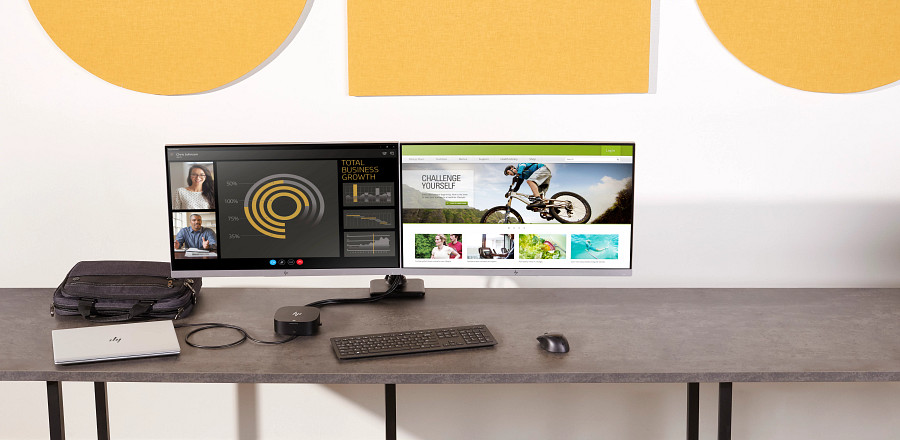
Get to work fast with one cable from your USB-A- and USB-C™-enabled notebooks[1] to your displays, devices, and wired network with the flexible, compact HP USB-C/A Universal Dock G2. The dock is driven by DisplayLink and compatible with notebooks from HP, Apple®, Dell, Lenovo, and more.[2] |
| Company |
HPI |
| Code name |
Adicora-D |
| Product long name |
HP USB-C/A Universal Dock G2 |
| Product subgroup |
Docking |
| Security management |
1 Lock slot (side, lock is sold separately) |
| Product classification flag |
Standard HP Product |
| Tangible flag |
Y |
| Material Type for item |
FERT |